Last updated: 8 October 2026. If your Yuva Sathi application is approved but the ₹1,500 has not reached your account, this Yuva Sathi payment status guide explains how to check the payment, the usual reasons for delay and what to do next. It also covers what is known about Yuva Shakti payments under the new scheme.
This is an independent guide, not a government website. We do not ask for bank details, Aadhaar numbers or OTPs.
Quick answer: Yuva Sathi payment status check
- Log in on yubasathi.wb.gov.in with your registered mobile number and OTP and read the status. “Payment initiated” means the money has been sent towards your bank.
- Confirm the credit in your bank: SMS alert, updated passbook, mini statement or your banking app.
- If the status is approved but nothing is credited, check that your account is linked (seeded) with Aadhaar and is active.
The steps for logging in are explained on our Yuva Sathi status check page.
How Yuva Sathi payment status and DBT work
- The amount is ₹1,500 per month.
- It is paid by Direct Benefit Transfer (DBT). No cash or cheque is given at any office or camp.
- The money goes to a bank account that is in the beneficiary’s name alone and linked to Aadhaar. Joint accounts were not accepted.
- Payment is released only after verification and sanction. Sanction is given by the District Magistrate, or by the Commissioner of Kolkata Municipal Corporation for KMC areas.
- The benefit can continue for up to 5 years, and stops earlier if the person gets a job or joins another scheme.
5 ways to do a Yuva Sathi payment status check
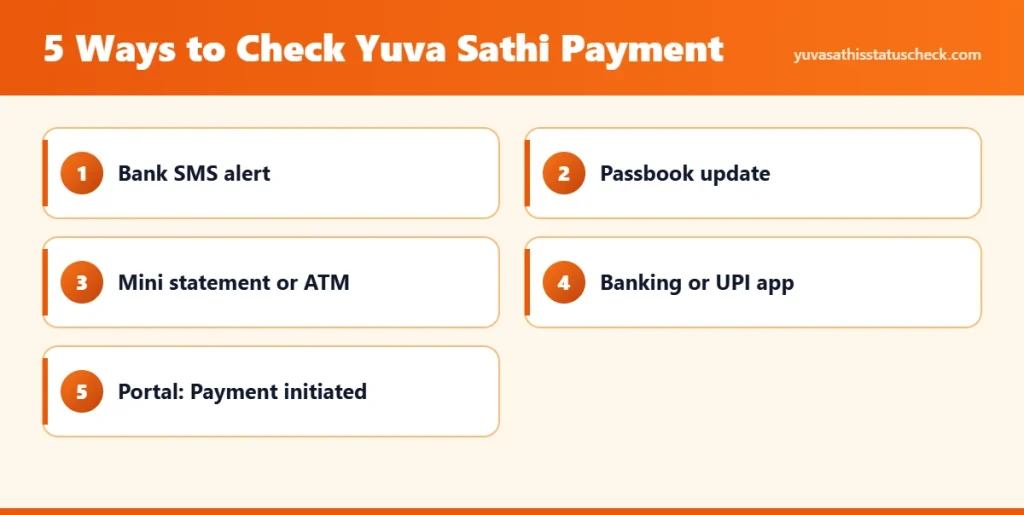
1. Bank SMS
If your mobile number is registered with the bank, a credit message arrives when the money lands. The message usually mentions DBT or a government reference. Search your inbox for “credited”.
2. Passbook update
Get your passbook printed at the branch or at a passbook printing kiosk. This is the most reliable proof and it also shows the exact date of each credit.
3. Mini statement or balance enquiry
Use an ATM, your bank’s missed call or SMS banking service, or a nearby bank mitra or customer service point (CSP) to see the last few transactions.
4. Mobile banking or UPI app
If you use your bank’s app or net banking, open the account statement and look for a ₹1,500 credit. A UPI app can show your balance but may not show who sent the money.
5. Yuva Sathi payment status on the portal
After login, a status such as “Payment initiated” tells you that the department has released the installment. It can still take a few working days to show in the bank.
About PFMS: West Bengal’s scheme payments are generally processed through the state’s own treasury system (WBIFMS), so the central PFMS “Know Your Payment” page may not show a Yuva Sathi credit. Your bank record is the dependable check.
Fix Aadhaar bank linking before checking Yuva Sathi payment status
Most failed credits come from a bank account that is not properly seeded with Aadhaar. You can check this yourself:
- By phone: dial *99*99*1# from the mobile number linked with your Aadhaar and follow the prompts. It shows the bank that is currently mapped to your Aadhaar for DBT.
- Online: log in on the UIDAI myAadhaar portal and open Bank Seeding Status.
- At the branch: ask the bank to confirm that your account is “Aadhaar seeded for DBT” and that KYC is complete.
If Aadhaar is mapped to an old or closed account, the money goes there or bounces back. Ask your current branch to seed Aadhaar to the account you gave in the Yuva Sathi form.
How to link Aadhaar with your bank for DBT (NPCI mapping)
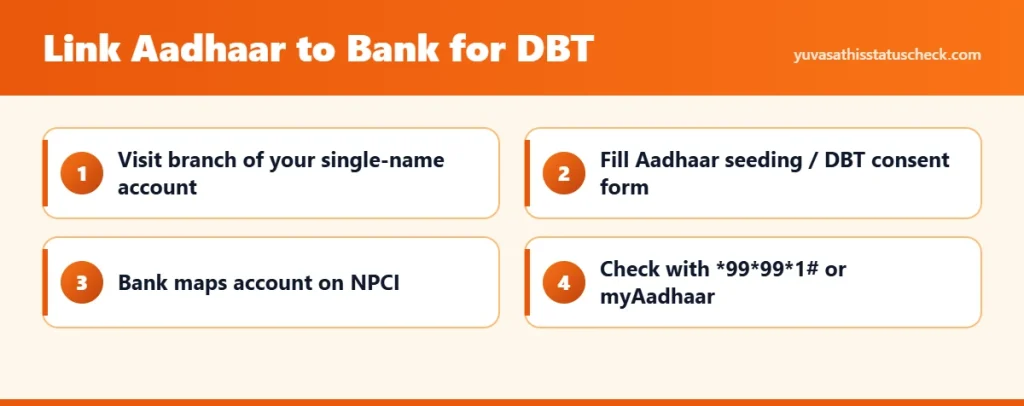
DBT money follows the bank account that is mapped to your Aadhaar on the NPCI system. If you have several accounts, only the mapped one receives it. To link or change it:
- Visit the branch of the account you want to receive the money in. It should be in your name alone.
- Ask for the Aadhaar seeding or DBT consent form, fill it in and attach a copy of your Aadhaar.
- Ask the bank to map the account on NPCI for DBT. This step is what makes government transfers reach the account.
- Wait a few working days, then check the result with *99*99*1# or on the myAadhaar portal under Bank Seeding Status.
Some banks also offer Aadhaar seeding through net banking or through NPCI’s online consent service for participating banks. Doing this now also prepares you for Yuva Shakti, which is expected to pay by DBT as well.
Yuva Sathi payment status timeline so far
| Date | What happened |
|---|---|
| 13 February 2026 | Scheme notified (No. 102/YS). Eligibility age counted as on 1 April 2026. |
| 15 to 26 February 2026 | Applications taken online and at camps. |
| March 2026 | The then Chief Minister announced that payments would start from 7 March. First ₹1,500 credits were reported, released in batches as verification was completed. |
| April and May 2026 | Assembly election and change of government. |
| 22 June 2026 | New state budget announces the Bharosa scheme (₹3,000 for unemployed graduates, ₹2,000 for others). |
| October 2026 | No official month-wise calendar for Yuva Sathi installments. Portal for the new scheme awaited. |
Yuva Sathi ka paisa kab milega?
There is no fixed payment date announced for each month. In the first round, people who applied online with complete documents and an Aadhaar-linked account were paid first, because their data was already in the system. Camp applicants waited longer because their forms had to be typed in by hand.
Since the change of government, we have not found an official statement giving dates for the remaining Yuva Sathi installments, and reports suggest credits have been irregular. The honest answer is that nobody outside the department can promise a date. Until then, keep checking your Yuva Sathi payment status through bank SMS and your passbook. Anyone who offers to “release” your payment for a fee is cheating you.
Yuva Sathi payment status not credited? Causes and fixes
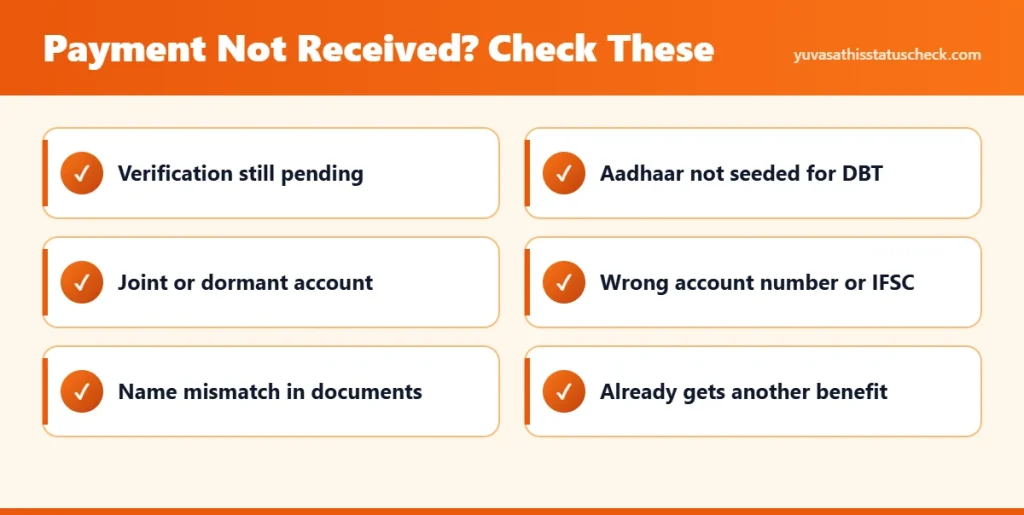
| Problem | How to fix it |
|---|---|
| Application still under verification | Wait, and check the status every week or two. Visit the BDO or municipality office if it has not moved for a long time. |
| Bank account not seeded with Aadhaar | Submit an Aadhaar seeding request with a copy of your Aadhaar at the branch. Confirm afterwards with *99*99*1#. |
| Joint account given in the form | The scheme needs a single-name account. Ask the block or municipality office whether the bank details can be corrected. |
| Dormant or frozen account, KYC pending | Complete KYC at the branch and make one small transaction to reactivate the account. |
| Wrong account number or IFSC | Carry your passbook and application slip to the office that handled your form and request a correction. |
| Name mismatch between Aadhaar, bank and voter card | Correct the document that is wrong, then inform the office. |
| Already receiving another monthly assistance | The application is not eligible. A person can draw only one such benefit. |
| Got a job after applying | The benefit ends. Beneficiaries are expected to report employment. |
What to do if your Yuva Sathi payment status is stuck
- Log in to the portal and note the exact status wording and your application ID.
- Check Aadhaar seeding with *99*99*1# and get your passbook updated.
- Visit the BDO office, or the municipality or borough office in towns, with your Aadhaar card, bank passbook and application slip.
- Ask for the reason in the system and whether any correction is needed from your side.
- If needed, write to the Youth Services directorate at the email listed in the official notification: [email protected]. Mention your application ID, name, block and mobile number. Do not send your OTP or ATM details to anyone.
Yuva Shakti payment status: ₹3,000 and ₹2,000
The new scheme, Yuva Shakti or the Bharosa scheme, was announced in the June 2026 budget with ₹3,000 a month for unemployed graduates and ₹2,000 a month for other eligible unemployed youth. As of 8 October 2026:
- No Yuva Shakti payment has been made, because applications have not opened.
- No payment date has been announced.
- Payment is expected by DBT to an Aadhaar-linked bank account, like Yuva Sathi.
- Reports say the allowance is meant to continue as long as the person stays unemployed.
Once payments start, you will be able to confirm a Yuva Shakti credit the same way as Yuva Sathi: bank SMS, passbook, mini statement or banking app, plus the status on the official portal. Any site showing a “Yuva Shakti payment status” today is not showing government data.
How existing Yuva Sathi beneficiaries will be treated has not been officially explained yet. See the Yuva Shakti scheme page and Yuva Shakti online apply for the latest verified position.
Frequently asked questions
How can I check my Yuva Sathi payment status?
The quickest Yuva Sathi payment status check is your bank SMS or passbook.
Log in on yubasathi.wb.gov.in with your mobile number and OTP to see whether payment has been initiated, then confirm the credit through your bank SMS, passbook or mini statement.
My status shows approved but no money has come. Why?
Approval and payment are separate steps. The most common reason is a bank account that is not seeded with Aadhaar or is inactive. Check seeding and KYC at your branch.
On which date does the Yuva Sathi installment come every month?
No fixed monthly date has been officially announced. Installments were released in batches.
Can I change my bank account after applying?
There is no public online option for this that we could verify. Ask the BDO or municipality office that processed your form.
Does the payment come to a joint account?
No. The notification requires a single account in the applicant’s own name, linked to Aadhaar.
How do I check Yuva Shakti payment status?
There is nothing to check yet, because Yuva Shakti payments have not started. Once they do, check your bank SMS, passbook or mini statement, and the application status on the official portal.
When will the first Yuva Shakti payment come?
No date has been announced. Payments can begin only after the portal opens and applications are verified.
Is there any charge to receive the payment?
No. The transfer is free. Do not pay any agent or caller.