Employment Bank Registration West Bengal 2026: 7 Easy Online Steps, Documents & 30-Day Validation (Complete Guide)
Last checked: 29 October 2026. The Employment Bank is West Bengal’s online job-seeker portal. It replaced the old paper-based Employment Exchange card for most purposes. Employment Bank registration helps you get information about jobs, was linked to the earlier Yuvashree allowance and is useful proof that you are an active job seeker.
This guide explains who can register, which documents you need, the full online process, the 30-day validation rule at the Employment Exchange, how to log in and update your profile, and the mistakes that stop your registration from being validated.
Quick answer: For Employment Bank registration, open employmentbankwb.gov.in, choose New Enrollment, fill in your personal, contact and education details, upload a photo and submit. You get a temporary enrolment number. Visit your nearest Employment Exchange with original certificates within 30 days to validate it, and you will then get your username and password.
Also read: Employment Bank status check and Karma Sathi Prakalpa.
What is the Employment Bank?
The Employment Bank is an online portal of the Government of West Bengal, launched on 26 July 2012 by the Labour and IT Departments. It connects job seekers and employers. Job seekers create a profile, and employers can post vacancies and search for suitable candidates.
The portal works together with the state’s network of 73 Employment Exchanges, which are the local offices that check documents and help job seekers in each district. Your online Employment Bank registration becomes final only after an Employment Exchange checks your original certificates.
Why Employment Bank registration is useful
- Job information: you can apply for jobs that match your qualifications through the portal.
- Proof of job search: your registration shows that you are actively looking for work.
- Allowances: the older Yuvashree scheme was linked to the Employment Bank. Read our Yuvashree Prakalpa guide for details.
- Supporting proof of unemployment: many offices accept it along with a self-declaration; see our unemployment certificate West Bengal guide.
- One profile for many uses: you update your details once and keep them ready for future openings.
Employment Bank registration is free. No one should charge you for it.
Who can register?
Any job seeker who lives in West Bengal can use the portal. You should register if you are:
- A Madhyamik, HS, graduate, postgraduate, ITI or diploma holder looking for a job.
- Unemployed, or employed but looking for a better job.
- Someone who wants to keep a validated job-seeker record for schemes.
Employers can also register, but this guide is for job seekers. There is no fee, and you do not need anyone’s recommendation to sign up. You only need correct details, your certificates and an active mobile number.
Documents needed for Employment Bank registration
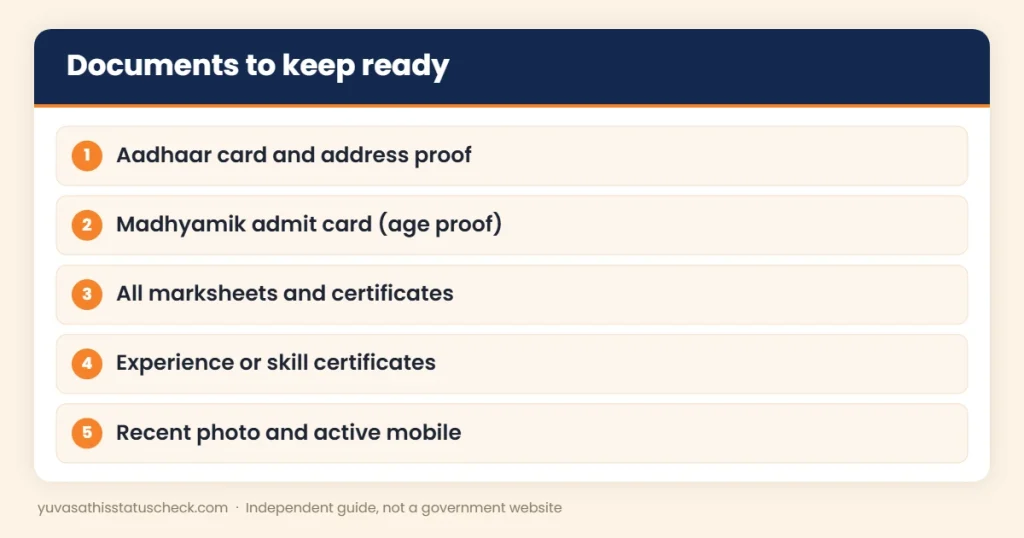
Keep these ready before you start. You fill in the details online and show the originals at the Employment Exchange.
| Document | Why it is needed |
|---|---|
| Aadhaar card | Identity and address |
| Voter card or ration card | Address proof |
| Madhyamik admit card | Date of birth |
| Marksheets and certificates (Madhyamik, HS, degree) | Education details |
| ITI, diploma or skill certificates | Technical qualifications |
| Experience certificates, if any | Work history |
| Caste certificate, if any | Category details |
| Recent passport-size photo | Profile photo |
| Active mobile number and email | OTP, login and alerts |
Employment Bank registration: 7 easy steps
Follow these steps to complete your Employment Bank registration online. Keep your documents beside you, because the form asks for exact details such as roll numbers, years and marks.
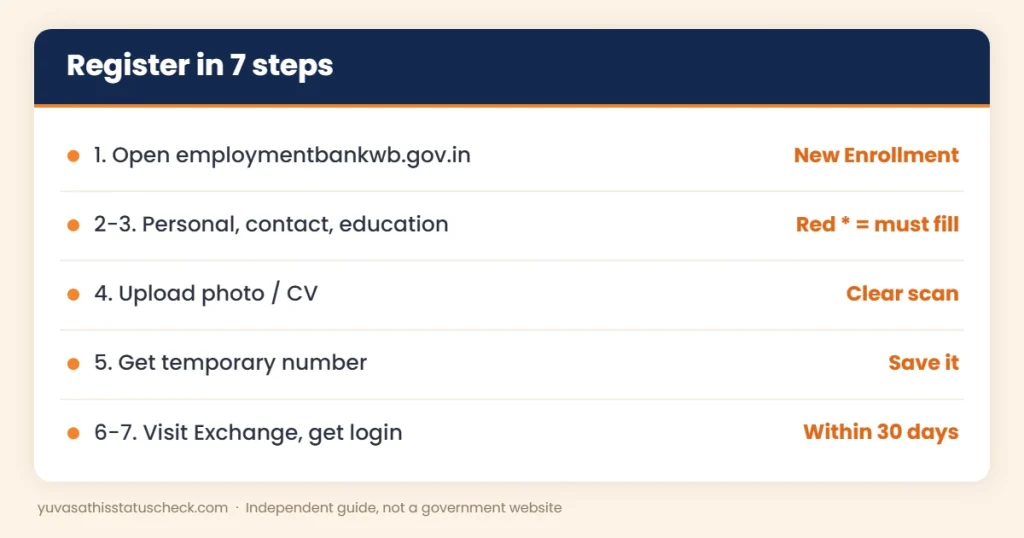
- Open the portal. Go to employmentbankwb.gov.in and click New Enrollment for job seekers.
- Fill in personal details. Enter your name, father’s name, date of birth, gender, category and other details. Fields marked with a red asterisk are mandatory.
- Add contact and education details. Give your address, mobile number and email, then add each qualification with the board or university, year and marks.
- Add other details. Fill in languages, physical measurements if asked, work experience and any additional skills. Upload your photo or CV if the form asks for it.
- Submit and save the temporary number. After submission, you get a temporary enrolment number. Write it down and take a screenshot.
- Visit the Employment Exchange within 30 days. Take your original certificates and the temporary number to your nearest Employment Exchange for validation.
- Get your login. After validation, your username and password are sent to your mobile and email.
How long does the whole process take?
| Stage | Typical time |
|---|---|
| Online form | 20 to 40 minutes with scans ready |
| Temporary number | Shown right after you submit |
| Visit to the Employment Exchange | Any working day within 30 days |
| Validation and login | Usually soon after the visit |
So, if your papers are ready, your Employment Bank registration can be fully completed within a few days.
Why the 30-day rule matters
Your Employment Bank registration is not complete until it is validated. If you do not visit the Employment Exchange within 30 days, your temporary enrolment may lapse, and you may need to register again. Mark the date on your calendar as soon as you submit the form.
Employment Bank registration on a mobile phone
You can complete the online part of your Employment Bank registration on a smartphone. A few tips make it easier:
- Use Chrome or another updated browser, and turn the phone sideways for wider forms.
- Keep scans of your photo and certificates in your phone’s gallery or files before you start.
- Use a stable Wi-Fi or mobile data connection so the form does not time out.
- Save the temporary enrolment number as a screenshot as soon as it appears.
If the form is hard to fill on a small screen, use a computer at home or a trusted cyber cafe, but enter any OTP yourself.
What happens at the Employment Exchange
When you visit the Employment Exchange for validation, the staff compare your online details with your original documents. Carry your temporary enrolment number, Aadhaar card, Madhyamik admit card, all marksheets and certificates, and photocopies.
The officer checks your name, date of birth, address and qualifications. If something does not match, they may ask you to correct the entry. Once everything is checked, your Employment Bank registration is validated, and your login details are sent to your mobile and email. The visit is usually short if your papers are in order, so arrange them in the same order as the form.
How to find your nearest Employment Exchange
West Bengal has 73 Employment Exchanges across its districts. Choose the one that serves your home area, because validation is usually done by the exchange that covers your address. The portal lists the exchanges, and your local block or municipality office can also tell you which one to visit. Go on a working day, reach early and carry photocopies along with the originals.
How to log in after validation
- Open the Employment Bank portal.
- Choose the job seeker login option.
- Enter the username and password you received after validation.
- Change your password if the portal asks you to.
- Check your profile and make sure every detail is correct.
If you forget your password, use the forgot password option on the login page. It usually needs your registered mobile number or email.
How to search and apply for jobs on the portal
Once your profile is validated, use it actively:
- Log in and open the section for vacancies or job openings.
- Filter by qualification, district or type of job, if the options are shown.
- Read the full notice, including the last date and required papers.
- Apply only for jobs that match your profile.
- Keep a list of the jobs you applied for, with dates.
A validated Employment Bank registration works best when you check it often. Many openings have short deadlines, so make it a weekly habit.
How employers use the Employment Bank
Employers, including private companies, register separately to post vacancies and search the database for candidates. When they search, they usually filter by qualification, skills and location. That is why a complete and up-to-date profile matters: if your skills or new degree are missing, an employer looking for those skills may never see you.
How to update your profile
Keep your Employment Bank registration useful by updating it whenever something changes:
- New qualification: add it as soon as you get the result or certificate.
- New skill or training: add certificates from courses, ITI or computer training.
- New mobile or email: update it so you do not miss alerts.
- Experience: add any job you join and leave, with dates.
- Photo and CV: replace them if they are old.
Some changes, such as a new qualification, may need checking at the Employment Exchange again. Keep your new certificates ready.
Employment Bank registration and allowances
The Employment Bank was closely linked with the Yuvashree allowance for unemployed job seekers, which paid ₹1,500 a month to selected registered candidates. The later Banglar Yuva Sathi scheme used its own portal.
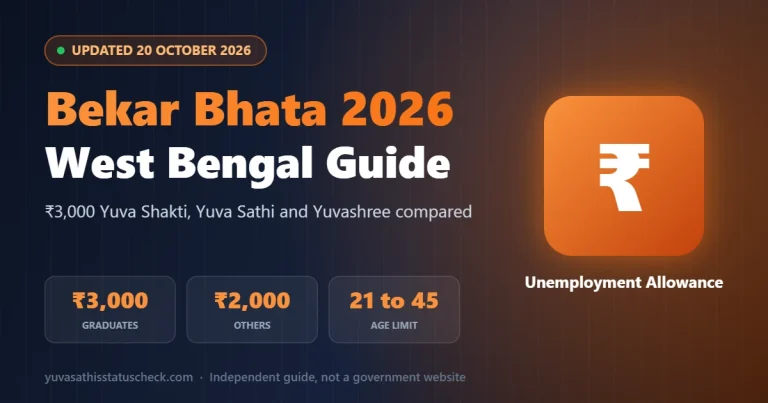
The new Yuva Shakti allowance, called Bhorsha Karmasuchi in the budget, is expected to pay ₹3,000 a month to unemployed graduates and ₹2,000 to other eligible youth. As of 29 October 2026, its form and rules have not been published, and there is no official word that Employment Bank registration will be required. Still, a validated registration is good supporting proof that you are looking for work. Read our Yuva Shakti scheme guide and the Bhorsha Karmasuchi explainer for updates.
Should Yuva Shakti applicants register now?
If you plan to apply for Yuva Shakti, doing your Employment Bank registration now has no downside. It is free, it shows that you are actively looking for work, and it puts your education details in one verified place. If the final Yuva Shakti rules ask for job-seeker proof, you will already have it. If they do not, you still benefit from job alerts and a ready profile. Just remember to keep your details the same as in Aadhaar and your certificates, so there is no mismatch later when the new form opens.
Employment Bank registration vs old Employment Exchange card
| Point | Old Employment Exchange card | Employment Bank registration |
|---|---|---|
| Mode | Paper registration at the office | Online form plus office validation |
| Updates | Visit the office | Update your profile online |
| Job alerts | Limited | Through the portal |
| Proof | Printed card | Validated online profile |
If you have an old Employment Exchange card, ask your exchange whether your record has been moved to the Employment Bank or whether you should register fresh.
Employment Bank registration for different qualifications
What you enter depends on your education. Use this table as a guide:
| Your qualification | What to add | Originals to carry |
|---|---|---|
| Madhyamik pass | Board, year, roll number, marks | Admit card and marksheet |
| Higher Secondary pass | Stream, board, year, marks | HS marksheet and certificate |
| Graduate | University, subject, year, marks or grade | Final marksheet and degree or provisional certificate |
| ITI or diploma | Trade or branch, institute, year | ITI or diploma certificate |
| Postgraduate | University, subject, year | PG marksheet and certificate |
Add every level, not just the highest one, because some jobs ask for marks at Madhyamik or HS level. A complete Employment Bank registration profile matches you to more vacancies.
Common problems and fixes
| Problem | Likely reason | Fix |
|---|---|---|
| OTP not received | Wrong or inactive mobile | Check the number; try again later |
| Lost temporary number | Not saved after submission | Check SMS and email; ask the Employment Exchange |
| 30 days passed | Validation visit missed | Ask the exchange; you may need to register again |
| Login not working | Wrong username or password | Use forgot password, or ask the exchange |
| Details wrong after validation | Entry error | Update the profile and show proof at the exchange |
3 real-life examples
Arpita, 23, Hooghly: She finished her BSc and completed her Employment Bank registration online. She visited the Employment Exchange in the second week, got validated and received her login the same week.
Joydeep, 27, Birbhum: He forgot to visit within 30 days. When he went later, he was told to start a fresh Employment Bank registration. This time he went within a week.
Salma, 21, Uttar Dinajpur: She added her computer course certificate to her profile after validation and started checking vacancies every week.
Is your data safe?
The portal is run by the state government. Still, protect your account: use a strong password, do not share it, log out on shared computers and never share OTPs. If you get calls asking for money to “fast-track” your Employment Bank registration, ignore them and report fraud on 1930 or at cybercrime.gov.in.
8 common mistakes to avoid
- Not visiting the Employment Exchange within 30 days.
- Entering a name or date of birth that does not match your certificates.
- Using a mobile number you do not check.
- Forgetting to note the temporary enrolment number.
- Leaving out qualifications or entering wrong marks.
- Uploading an unclear or very old photo.
- Paying an agent for Employment Bank registration, which is free.
- Never updating the profile after getting a new qualification.
Employment Bank registration checklist
- Aadhaar, address proof and Madhyamik admit card ready.
- All marksheets and certificates scanned.
- Active mobile number and email.
- Temporary enrolment number saved.
- Employment Exchange visit planned within 30 days.
Tips to make your profile stronger
- Add every skill, even short computer or language courses.
- Write a clear, honest CV with your contact details.
- Check the portal regularly for vacancies that match your profile.
- Keep a folder with scans of all certificates for quick uploads.
- Prepare for interviews and exams while you wait for calls.
Other papers job seekers often need
- Caste certificate: for reserved posts; see our caste certificate West Bengal guide.
- Residential certificate: for state quota posts; see our residential certificate West Bengal guide.
- Income certificate: for income-based schemes; see our income certificate West Bengal guide.
For a wider view of allowances for jobless youth, read our bekar bhata guide.
Frequently asked questions
What is the official website for Employment Bank registration?
The official portal is employmentbankwb.gov.in, run by the Government of West Bengal.
Is Employment Bank registration free?
Yes. Registration is free for job seekers. Do not pay any agent.
What is the 30-day rule?
After online enrolment, you must visit your nearest Employment Exchange with original certificates within 30 days to validate your registration.
When will I get my username and password?
After your registration is validated at the Employment Exchange, the username and password are sent to your mobile and email.
Can I register if I am already working?
Yes. The portal is for job seekers, including those who want a better job.
Is Employment Bank registration needed for Yuva Shakti?
There is no official word yet. The Yuva Shakti form and rules have not been published as of 29 October 2026.
I forgot my password. What should I do?
Use the forgot password option on the login page with your registered mobile number or email.
How do I add a new qualification?
Log in and update your profile, then show the new certificate at the Employment Exchange if asked.
Sources we checked
- Employment Bank, Government of West Bengal: official job-seeker portal.
- WBXPRESS: Employment Bank: launch date, enrolment steps, 30-day validation and 73 Employment Exchanges.
- myScheme: Yuvasree: link between Yuvashree and the Employment Bank.
Disclaimer: yuvasathisstatuscheck.com is an independent information website. It is not connected with the Government of West Bengal. Portal steps can change, so always follow what the official site shows.
One Comment