Yuva Shakti Form Fill Up 2026: Easy Field-by-Field Guide + 9 Mistakes to Avoid
Last updated: 27 October 2026. When the Yuva Shakti form fill up starts, thousands of people will rush to the portal on the first day. Most errors that cause rejection are made in those first rushed minutes: a name spelled differently from Aadhaar, the wrong education level, or a joint bank account.
This guide prepares you for the Yuva Shakti form fill up section by section. We explain what each part is likely to ask, how to fill it correctly and which mistakes to avoid. Read it once now, and keep it open on the day the form goes live.
Quick answer: The Yuva Shakti form fill up date has not been announced yet, and the official form is not out. Based on the old Yuva Sathi form and the announced rules, expect sections for personal details, address, ID numbers, education, family income, work status, bank details, document uploads and a declaration. Fill every field exactly as it appears on your documents.
Yuva Shakti form fill up date: where things stand
Before we look at the form itself, here is the latest on timing. As of 23 October 2026, no official Yuva Shakti form fill up date had been published. A report on 17 October said registration might start in November, but the government had not confirmed it.
| Point | Position |
|---|---|
| Yuva Shakti form fill up date | Not announced |
| Yuva Shakti online form fill up | Portal not open |
| Offline forms at camps | Not announced |
| Expected month | November 2026, as reported |
For the full timeline, read our Yuva Shakti apply date update. The rest of this guide is about filling the form correctly once it opens.
Before you start the Yuva Shakti form fill up
Keep these things on the table before you open the form. Stopping halfway to find a paper is how mistakes happen.
- Your phone with the registered SIM for the OTP.
- Aadhaar card and voter card for names, numbers and address.
- Madhyamik admit card for the exact date of birth.
- Highest education certificate, especially if you are a graduate.
- Family income certificate with the yearly income figure.
- Bank passbook showing account number and IFSC.
- Scans of all documents, plus a photo and a signature.
Our Yuva Shakti documents required guide explains each paper and the file size limits used for Yuva Sathi.
The sections you can expect in the form
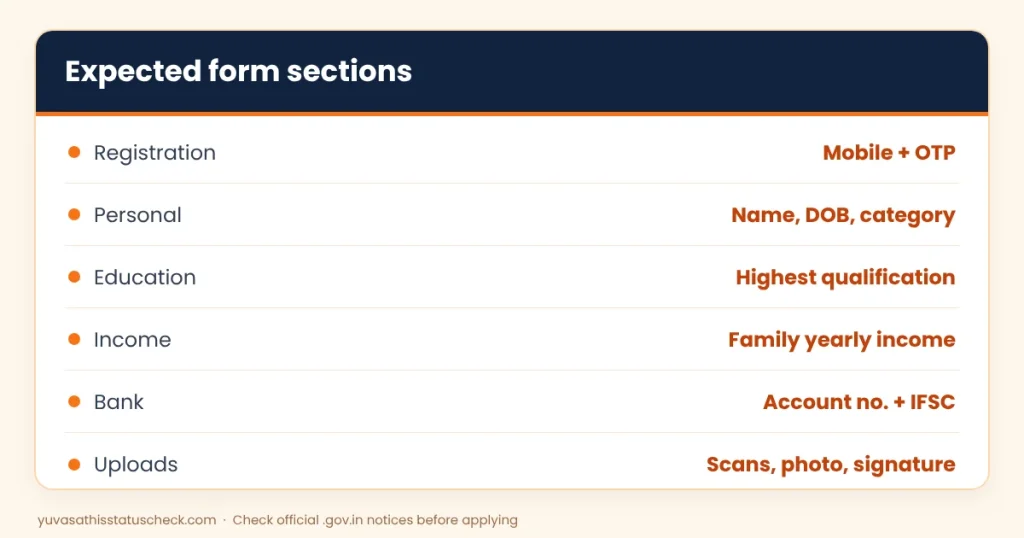
The official form is not out yet, so the table below is based on the old Yuva Sathi form and the new rules announced in the budget. Section names may differ slightly.
| Section | What it is likely to ask |
|---|---|
| Registration | Mobile number and OTP |
| Personal details | Name, parents’ names, date of birth, gender, category |
| Address | District, block or municipality, ward or gram panchayat, PIN |
| Identity | Aadhaar number, voter card (EPIC) number |
| Education | Highest qualification, board or university, year of passing |
| Income and work | Family yearly income, unemployment status |
| Bank details | Account holder name, account number, IFSC, branch |
| Uploads | Document scans, photo, signature |
| Declaration | Self-declaration and consent for Aadhaar authentication |
Step 1: Registration with your mobile number
The Yuva Shakti online form fill up will almost certainly start with mobile number verification. Enter the 10-digit number that is in your name and always with you. All OTPs, status updates and payment messages will go to this number.
- Do not use a cyber cafe owner’s number or a friend’s number.
- Do not use a number you plan to stop using soon.
- Note any user ID or application number shown after registration.
Step 2: Personal details
This is where most spelling errors in the Yuva Shakti form fill up happen. Copy your details exactly from your Aadhaar card, unless the form asks you to follow another document.
Name
Type your name in the same order and spelling as on Aadhaar. If Aadhaar says “Sk. Rahim” and your Madhyamik papers say “Sheikh Rahim”, fix the mismatch before the form opens, or ask at the help desk which one to use.
Parents’ names
Use the spelling on your Madhyamik admit card or Aadhaar. Avoid nicknames and short forms.
Date of birth
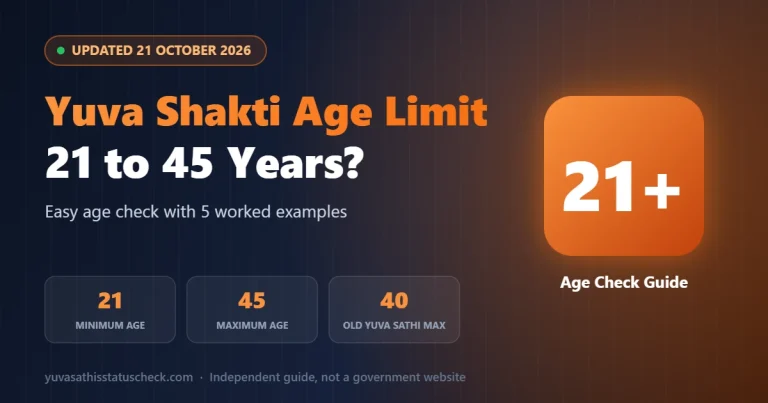
Enter the date exactly as on your Madhyamik admit card. Age will be checked against the 21 to 45 limit announced for the scheme. Our Yuva Shakti age limit guide explains the counting.
Gender and category
Choose your gender and your category (General, SC, ST or OBC). If you choose SC, ST or OBC, you may need to upload a caste certificate.
Step 3: Address details
Select your district first, then your block (rural) or municipality (urban), then your gram panchayat or ward. Enter your village or locality, post office and PIN code.
Use your permanent address in West Bengal, because the scheme is for permanent residents. If your present address is different, fill both carefully if the form allows it.
Step 4: Aadhaar and voter card numbers
Type your 12-digit Aadhaar number and your voter card (EPIC) number with great care. One wrong digit here can stop Aadhaar authentication or the voter list check.
- Read each number twice before moving on.
- Do not add spaces unless the form shows them.
- Make sure the name on the voter card matches the name you typed.
Step 5: Education details
This section can decide whether you get ₹3,000 or ₹2,000 a month, as announced. Choose your highest completed qualification.
| If your highest pass is | Select | Likely amount |
|---|---|---|
| Graduation (BA, BSc, BCom or equal) | Graduate | ₹3,000 |
| Higher Secondary | HS / Class 12 | ₹2,000 |
| Madhyamik | Madhyamik / Class 10 | ₹2,000 |
Enter the board or university name, the year of passing and your roll number if asked. If your final graduation result is not out yet, do not select “Graduate” without proof. A wrong level can lead to rejection or recovery later.
Step 6: Income and work status
Yuva Shakti has a family income limit of ₹1 lakh a year, as announced. Enter the yearly family income exactly as shown on your income certificate. Do not guess, and do not lower the figure to “make it fit”.
For work status, you will likely tick that you are unemployed and not receiving another social security benefit. Only tick this if it is true. False declarations can lead to the money being stopped or recovered.
Step 7: Bank details for DBT
Money will be sent straight to your account, so this part of the Yuva Shakti form fill up must be perfect.
- Account holder name: Your own name, exactly as in the bank.
- Account number: Type it, then type it again if asked to confirm.
- IFSC: Copy it from the passbook. It has 11 characters, and the fifth one is always zero.
- Bank and branch: Usually filled automatically from the IFSC. Check it matches your branch.
Use a single-name savings account linked with Aadhaar. Joint and dormant accounts caused many payment failures under Yuva Sathi.
Step 8: Upload documents, photo and signature
Upload each document in the right box. The Yuva Sathi portal accepted PDF files up to 300 KB and the photo and signature as JPG or PNG files up to 50 KB each. The new form may have similar limits.
- Check every upload by opening the preview, if the form shows one.
- Make sure the photo is recent and the face is clear.
- Upload the signature that matches the one on your documents.
Step 9: Declaration and final submit
Read the declaration fully before you tick the box. It will likely say that all information is true, that you are unemployed and that you allow Aadhaar-based checks.
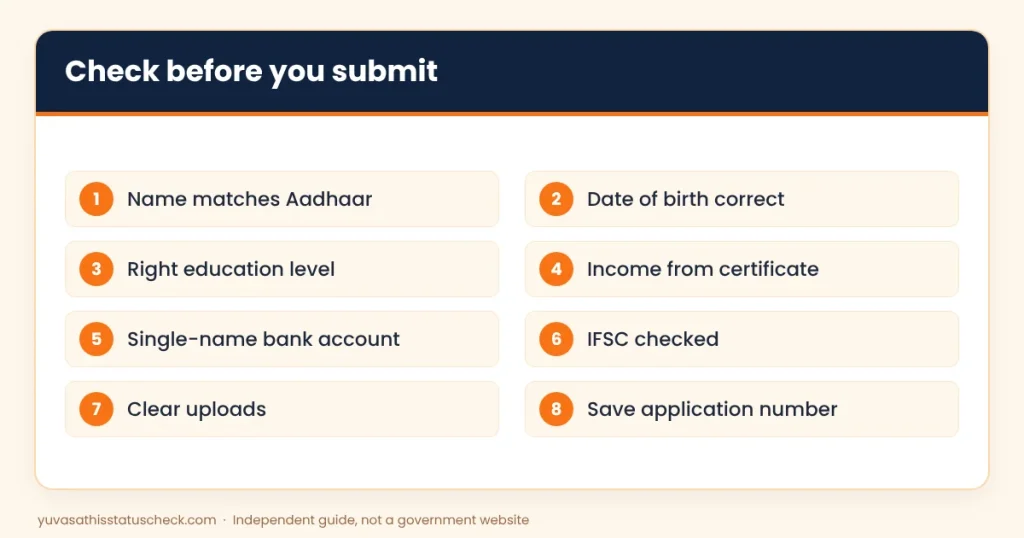
Before you press Submit, use the preview to check every field one last time. A careful Yuva Shakti online form fill up takes a little longer, but it saves weeks of trouble later. After submitting, save the acknowledgement page as a PDF or screenshot and write the application number on paper.
9 mistakes to avoid during the Yuva Shakti form fill up
These Yuva Shakti form fill up mistakes are simple, but they cause the most rejections. Check yourself against each one.
- Name spelled differently from Aadhaar or Madhyamik papers.
- Wrong date of birth, often swapped day and month.
- Choosing “Graduate” without a final certificate.
- Guessing the family income instead of using the certificate.
- Using a joint or dormant bank account.
- Wrong IFSC, so payment goes nowhere.
- Blurry scans or wrong file in the wrong box.
- Using someone else’s mobile number.
- Not saving the application number after submitting.
Yuva Shakti online form fill up on a phone
Many people will fill the form on a smartphone. It works, but a few tips make it easier.
- Use Chrome or another updated browser, not an in-app browser from WhatsApp or Facebook.
- Turn on “Desktop site” if buttons do not respond.
- Keep scans saved in one folder so you can find them quickly.
- Charge your phone and use a stable internet connection.
- Do not switch apps while the OTP page is open; some pages time out.
If the form is taken offline at camps
The government has not said whether camps will be used. If they are, the Yuva Shakti form fill up on paper follows the same rules.
- Write in clear capital letters with a black or blue pen.
- Do not overwrite; if you make a mistake, ask for a fresh form.
- Attach self-attested copies in the order the form lists them.
- Sign in every place marked for the applicant.
- Get an acknowledgement slip before you leave.
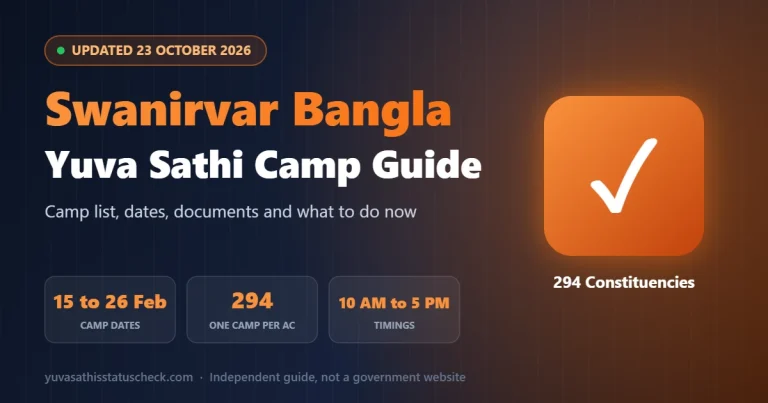
During the Yuva Sathi camps in February 2026, forms were free. No one should charge you for a Yuva Shakti form either.
How long will the form take?
If your papers and scans are ready, the Yuva Shakti form fill up should take about 20 to 30 minutes. Without preparation, it can take hours, because you will stop again and again to find a number or make a scan.
The best time to fill it is early in the morning or late at night in the first few days. On the old Yuva Sathi portal, heavy traffic made pages slow during the day. Avoid the last two days of any window, when servers are busiest.
Spelling Bengali names in English
Many Bengali names can be written in English in more than one way: Chakraborty or Chakrabarti, Mondal or Mandal, Sk or Sheikh. For the Yuva Shakti form fill up, the rule is simple: use the spelling on your Aadhaar card.
- If your bank account shows a different spelling, update it at the bank first.
- If your Madhyamik papers differ, keep an affidavit or a note ready in case officials ask.
- Never change the spelling just to make the form “look better”.
Matching names across Aadhaar, bank and education papers is one of the easiest ways to pass verification quickly.
Old Yuva Sathi applicants: fill the new form carefully
Reports in May said everyone, including old Yuva Sathi applicants, may have to apply afresh. If you applied in February, your old form is a useful reference, but do not copy it blindly.
- Age limit changed from 21 to 40, to 21 to 45, so some people are newly eligible.
- Income is new. You will now enter your family’s yearly income.
- Education matters more. Graduates can get ₹3,000 instead of a flat ₹1,500.
- Bank account may have changed. Use your current, active, Aadhaar-seeded account.
Keep your old Yuva Sathi application ID ready in case the new form asks for it.
Where to get help with the Yuva Shakti form fill up
If you are not comfortable with online forms, you can still apply safely. Choose help carefully.
- A trusted family member can sit with you, as long as the OTP comes to your phone.
- Your BDO or municipality office may set up help desks when the form opens, as offices often do for new schemes.
- A cyber cafe can help with scanning and typing, but watch the screen and check the website address.
- Never pay an “agent” who promises faster approval. Approval depends on verification, not on who filled the form.
A sample of correctly filled fields
Here is a dummy example to show the level of care needed. These are not real details.
| Field | Correct entry | Common wrong entry |
|---|---|---|
| Name | RINA DAS | Rina (nickname only) |
| Date of birth | 14/08/1999 | 08/14/1999 |
| Highest qualification | Graduate (BA) | Graduate, result pending |
| Family yearly income | 84,000 | “Below 1 lakh” |
| IFSC | SBIN0001234 | SBIN000123 |
Small details like these decide whether your Yuva Shakti form fill up passes verification the first time.
After the Yuva Shakti form fill up
Once you finish the Yuva Shakti form fill up and submit, your job is not over. Do these three things.
- Save proof. Keep the acknowledgement as a PDF and a paper note of the application number.
- Check your status. When a status option is available, log in with your mobile number and OTP once a week.
- Answer calls from the office. Verification may need a call or a visit. Be ready with your original documents.
If you applied for Yuva Sathi earlier, you can still check that old record with a Yuva Sathi status check by mobile number.
Frequently asked questions
What is the Yuva Shakti form fill up date?
No official Yuva Shakti form fill up date has been announced. A report on 17 October 2026 said registration might begin in November, but it is not confirmed.
Has the Yuva Shakti online form fill up started?
No. The portal was not open when we last checked on 23 October 2026. Do not fill forms on private websites.
Can I do the Yuva Shakti form fill up on my mobile?
Yes, once the official form opens, you should be able to fill it on a smartphone with an updated browser and your registered SIM for the OTP.
What happens if I make a mistake in the form?
Some portals allow edits before final submission only. Check the preview carefully. After submission, you may need to contact the office for corrections.
Should I choose Graduate if my result is pending?
No. Choose the level you can prove today. Selecting Graduate without a certificate may lead to rejection.
Is there a fee for the Yuva Shakti form?
No genuine government form in West Bengal charges an application fee. Anyone asking for money is not an official agent.
Can someone else fill my form?
A family member can help, but the OTP should come to your own number and you must check every detail yourself.
How long does the Yuva Shakti online form fill up take?
With all papers and scans ready, about 20 to 30 minutes. Fill it early in the morning or late at night to avoid a slow portal.
Will old Yuva Sathi applicants need a new Yuva Shakti form fill up?
Reports said everyone may have to apply afresh. Plan to fill the new form unless an official notice says old records will move across.
Where will I get the official Yuva Shakti form?
On the official portal named in the government notification, with an address ending in .gov.in. We will link it here once it is live.
Sources we checked
- Indiahood, 17 October 2026: registration may begin in November; eligibility as reported.
- Ekhon Bangla, 14 October 2026: no official form, start date or guidelines yet.
- Banglar Yuva Sathi official portal: old form checklist and file size limits.
- Banglar Yuba Sathi notification, 13 February 2026: self-declaration and Aadhaar authentication consent.
This is an independent guide, not a government website. We will update the Yuva Shakti form fill up steps as soon as the official form is released.

One Comment