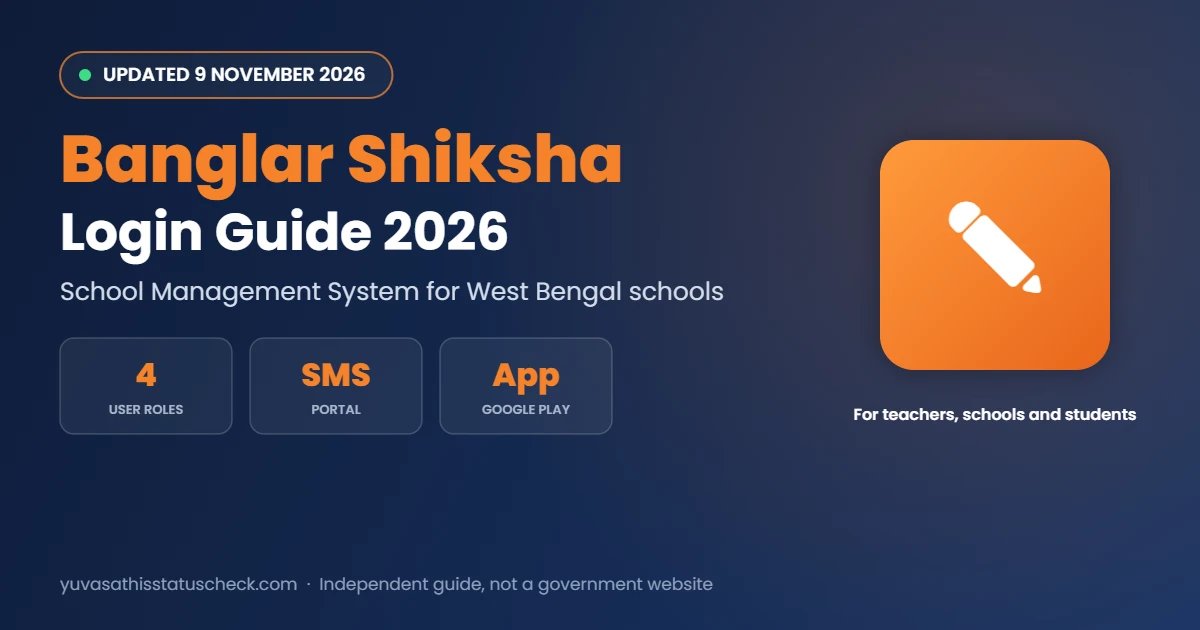
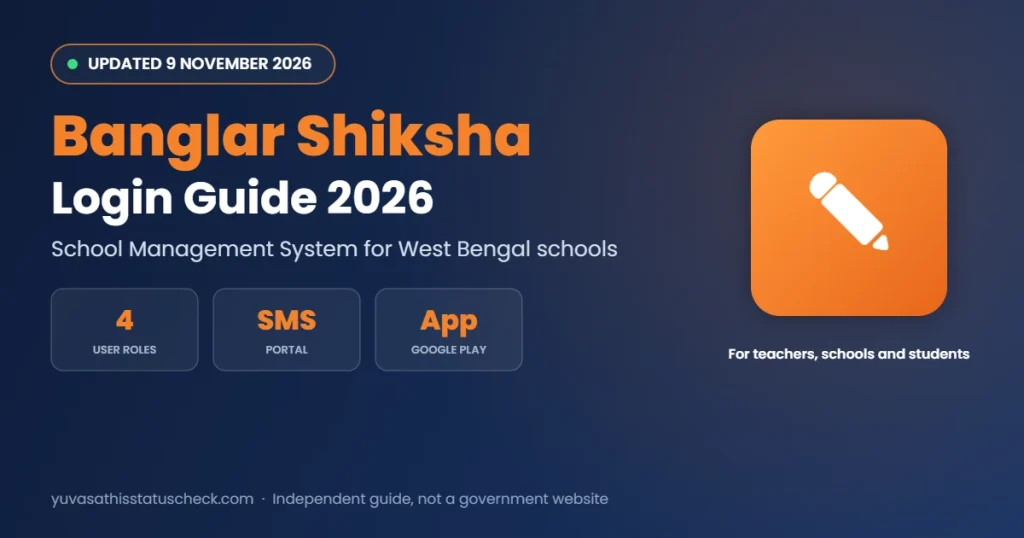
Banglar Shiksha Login 2026: Teacher, School & Student Portal Guide, Password Reset, SMS Portal & App
Last checked: 9 November 2026. Banglar Shiksha is the official online platform of the West Bengal School Education Department. Today it works mainly as a School Management System (SMS) where schools, teachers, staff and students log in to manage attendance, marks, records and scheme data.
If you are a teacher uploading marks, a Head Master managing school data or a student looking for your Banglar Shiksha ID, this guide explains the portal in simple steps: login, password reset, main features, the mobile app, common errors and how the portal links with schemes like Taruner Swapna.
Quick answer: Go to banglarshiksha.gov.in/login, choose your role (Teacher, School, Staff or Student), enter your User ID, password and captcha, and click Login. There is no self-service password reset: teachers ask their Head of Institution, and schools contact the District or Circle School Inspector office. The same login works in the Banglar Shiksha app on Google Play.
Banglar Shiksha at a glance
| Point | Details |
|---|---|
| Run by | School Education Department, Government of West Bengal |
| Main use | School Management System (SMS) |
| Login page | banglarshiksha.gov.in/login |
| SMS portal | school.banglarshiksha.gov.in/sms |
| User roles | Teacher, School, Staff, Student |
| Password reset | Through the HOI (teachers) or School Inspector office (schools) |
| Mobile app | Banglar Shiksha (Google Play) |
| Linked schemes | Taruner Swapna and other student schemes |
What is the Banglar Shiksha portal?
The portal started as a single window for school education in the state. During the Covid period it also hosted online classes and study material. Since then, its main role has shifted to school administration. Every government and government-aided school with a valid UDISE (DISE) code has a login, and the details of teachers, staff and students are kept on it.
For students, the most important thing is the Banglar Shiksha student ID, a unique number that follows a student through school and is used to check eligibility for schemes. For teachers, the portal is where marks and attendance are entered. For schools, it is where the Head of Institution (HOI) manages staff, students and reports. Because so many services depend on the same data, a mistake in one place, such as a wrong date of birth or a missing transfer, can cause problems later for scholarships, board registration and other schemes. That is why it is worth checking records carefully at the start of every session.
Online classes and study material
During the school closures of 2020 and 2021, Banglar Shiksha also carried online classes, model activity tasks and digital study material for students. Some of that older content may still be visible in parts of the site, but the department now uses the platform mostly for school administration. Students looking for current study material should ask their teachers or check the department’s official notices.
Common terms used on the portal
| Term | Meaning |
|---|---|
| HOI | Head of Institution (Head Master or Head Mistress) |
| SI | Sub-Inspector or School Inspector of the circle or district |
| UDISE code | Unique code of the school in the national school database |
| SMS | School Management System module of the portal |
| Release and accept | Steps used to transfer a student or teacher between schools |
| Formative and summative | Continuous assessment and term-end exams |
When to contact the SI office
Most issues can be solved inside the school, but some need the circle or district School Inspector office:
- The school login itself is locked or the HOI password is lost.
- The school’s UDISE code or basic profile is wrong.
- A new school or a new section needs to be created on the system.
- A transfer is stuck because the other school is not responding.
Carry the school’s UDISE code and a written request when you visit or email the office.
Who uses Banglar Shiksha?
| Role | Who | Main work on the portal |
|---|---|---|
| School | Head of Institution (HOI) | Manage school profile, staff, students, approvals and reports |
| Teacher | Teachers of the school | Attendance, marks entry, class records |
| Staff | Non-teaching staff | Service records and assigned tasks |
| Student | Enrolled students | View profile, ID and scheme-related information |
How to log in to Banglar Shiksha
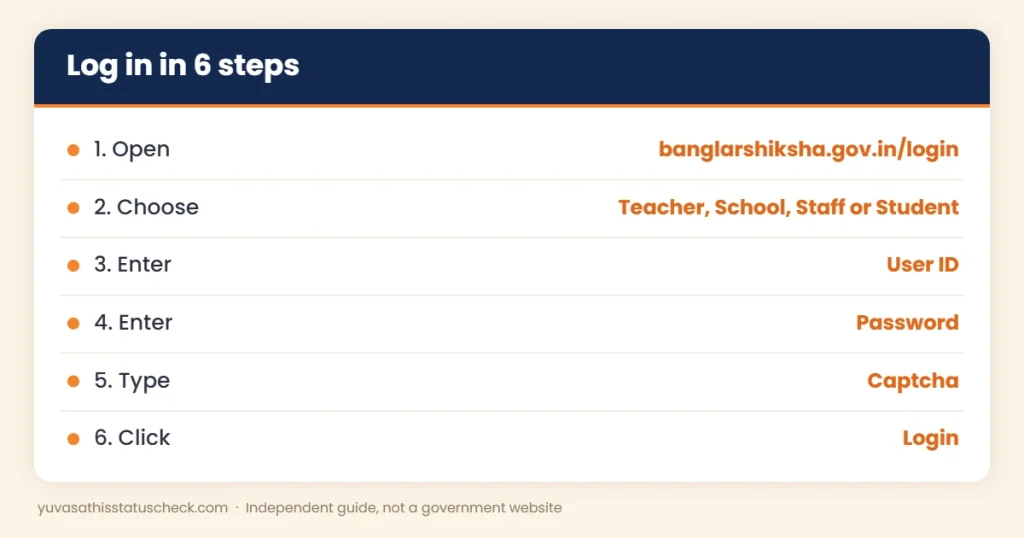
- Open banglarshiksha.gov.in/login.
- Select your role: Teacher, School, Staff or Student.
- Enter your User ID (given by the school or the department).
- Enter your password.
- Type the captcha exactly as shown.
- Click Login.
After logging in, you see a dashboard with the options available for your role. Always log out after use, especially on a shared computer in the school office.
School Management System (SMS) login
Many school-level tasks open on the SMS portal at school.banglarshiksha.gov.in/sms. Schools log in with the school User ID and password, and teachers with their own IDs where the module allows. The SMS section is where most marks entry and student record work happens.
Forgot your Banglar Shiksha password?
There is no “forgot password” with OTP for most users. Use this route:
| User | Who resets the password |
|---|---|
| Teacher | Head of Institution (HOI) of your school |
| Staff | Head of Institution (HOI) |
| School (HOI login) | District or Circle School Inspector (SI) office |
| Student | Your school, through the HOI or the teacher in charge |
Keep your new password in a safe place and change it if you think someone else knows it.
What teachers can do on Banglar Shiksha
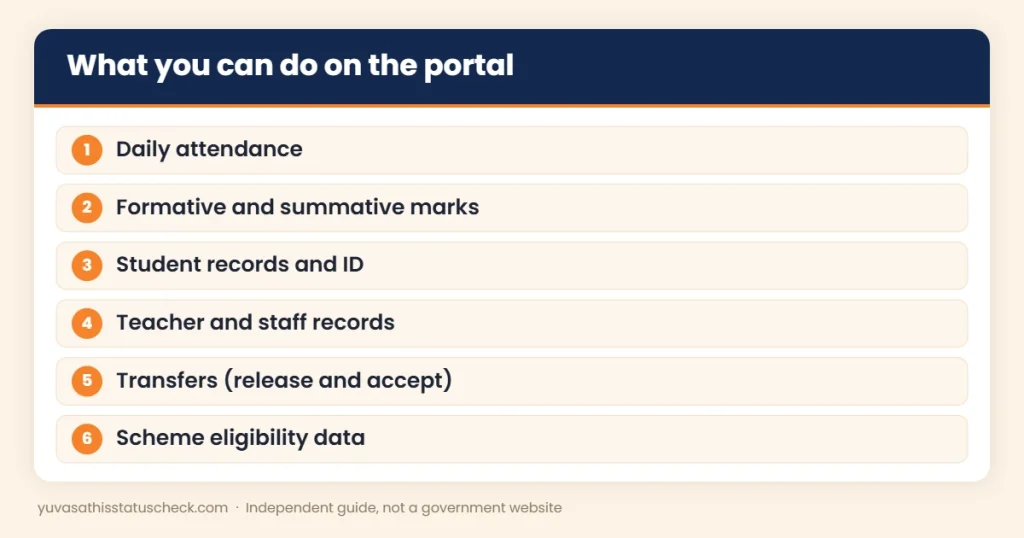
- Mark daily attendance for their classes.
- Enter formative and summative assessment marks.
- View and update student details for their sections, as allowed.
- Check their own service profile.
- Generate class-wise reports when the module is open.
Marks entry and report cards
Schools in the state hold formative and summative assessments during the year. Teachers enter marks for each assessment on the portal, and the system generates the mark sheet or progress report once all marks for the year are in. Uploading marks after each assessment, instead of all at the end, reduces the risk of last-minute delays.
How a new teacher gets a login
When a teacher joins a school, the HOI adds the teacher’s details to the school’s staff list on the portal. Once the record is created and approved, a User ID is generated for the teacher. The HOI shares the User ID and first password, and the teacher should change the password after the first login. If a teacher is transferred, the old school releases the record and the new school accepts it, so the same ID can continue. Delays usually happen when one of the two schools has not completed its step, so a quick call between the two HOIs often solves the problem.
Daily attendance in simple steps
- Log in with your teacher ID.
- Open the attendance option and select the class and section.
- Mark each student present or absent.
- Save the attendance before the time limit for the day, if one is set.
- Check the summary to make sure it was saved.
Regular attendance data helps the school track dropouts and is also used for some student schemes where attendance matters.
Formative and summative assessments
| Type | What it means | How marks are used |
|---|---|---|
| Formative | Continuous evaluation through class work, projects and activities | Added to the student’s overall performance |
| Summative | Term-end written examinations | Main part of the yearly result |
Teachers enter both types of marks on the portal. The final report card is generated only after all required marks for the year are entered and approved by the HOI.
What the school (HOI) login can do
- Update the school profile and UDISE details.
- Add, transfer or remove student records.
- Manage teacher and staff records and assign roles.
- Approve data entered by teachers.
- Download reports and student lists.
- Handle scheme-related data such as eligibility lists.
Schools also fill annual UDISE+ data through the department’s school information system, for which the department publishes a user manual every year.
Student login and Banglar Shiksha ID
Students usually get their login details from the school. After logging in, a student can see basic profile information and the unique student ID. This ID is used in many places:
- To check eligibility for Taruner Swapna, the device grant for Class 11 and 12.
- In school records when a student changes school.
- In some scholarship and scheme forms, where the school confirms enrolment.
If your name, date of birth or other details are wrong, ask the school office to correct them on the portal. Students cannot change these details themselves.
Transferring a student to another school
When a student moves to a new school, the record should move too:
- The old school issues a transfer certificate and releases the student on the portal.
- The new school searches for the student using the ID and accepts the transfer.
- The new school checks and updates the class, section and other details.
If the old school does not release the record, the new school cannot add the student properly, and the student may face problems with schemes or exams. Parents should ask both schools to finish the transfer on the portal.
Why UDISE+ data matters
Every year, schools fill in detailed information about buildings, teachers, students and facilities for the national UDISE+ system. In West Bengal, this is done through the department’s school information system linked with the portal. Correct UDISE+ data helps the school get the right number of teachers, funds for facilities and student benefits. Errors can lead to wrong allotments, so HOIs should check the data carefully before final submission.
How parents can use the student ID
Parents do not usually have a separate login, but the student ID is useful for them:
- Keep a note of your child’s ID from the school.
- Share it when a school or office asks for proof of enrolment for a scheme.
- Ask the school to correct the child’s name, date of birth or category if they are wrong, as these details are used for schemes and board registration.
- When changing school, make sure the new school has accepted the transfer on the portal.
Safe use and data privacy
The portal holds personal details of lakhs of students and teachers. Use it responsibly:
- Never share your User ID and password, even with colleagues.
- Do not log in from cyber cafes or public computers if you can avoid it.
- Log out after every session.
- Do not download student lists to personal devices unless needed for official work.
- Report any suspicious activity on your account to the HOI or SI office.
Checklist before a new session starts
- Promote students to the next class on the portal after results.
- Add new admissions with correct details.
- Release students who left and accept those who joined.
- Update teacher and staff records for transfers and retirements.
- Check that every class has a teacher assigned for marks entry.
Banglar Shiksha app
The Banglar Shiksha app on Google Play gives access to many portal features on a phone.
- Install the app published for the School Education Department from the Play Store.
- Open it and choose your role.
- Log in with the same User ID and password as the website.
- Use the dashboard to mark attendance or view details, depending on your role.
Install only the official app. Do not enter your password in look-alike apps or websites. If the app shows an error after an update, clear its cache or reinstall it, and use the website as a backup on days when the app does not work.
Common Banglar Shiksha problems and fixes
| Problem | Likely reason | What to do |
|---|---|---|
| Portal not opening | Heavy load or maintenance | Try again at off-peak hours, early morning or late evening |
| Invalid captcha | Typing error or expired page | Refresh the page and type the new captcha carefully |
| Wrong password | Password changed or forgotten | Ask the HOI (teachers) or SI office (schools) to reset it |
| Marks not saving | Session timeout or server issue | Save often; re-login and check the saved data |
| Student not found | Record not added or transferred | Ask the HOI to add or accept the transfer |
| App login fails | Old app version | Update the app from Google Play |
Server problems during result season
Teachers’ groups have complained that the portal slows down or stops working when many schools upload marks at the same time. In December 2025, teacher associations said frequent failures had delayed mark uploads for Classes I to IX and asked the department to upgrade the servers. The portal was also taken down for some time for server migration in the past. If your school faces this, upload marks soon after each assessment and avoid the last few days before deadlines.
Tips for teachers and schools
- Keep a backup of marks in a register or spreadsheet before entering them online.
- Upload marks after each assessment, not all at the end of the year.
- Check student details at the start of the session so that mark sheets print correctly.
- Change the default password after the first login.
- Never share your login with students or outsiders.
- Keep the school’s SI office contact handy for password and access issues.
Banglar Shiksha and student schemes
The portal’s student data helps the department and schools with many schemes. Students should also know about scholarships that schools help with, such as Sikshashree for SC and ST students in Classes V to VIII, the Oasis scholarship for SC, ST and OBC students, the Aikyashree scholarship for minority students, Kanyashree Prakalpa for girls and the SVMCM scholarship for meritorious students after Madhyamik.
Frequently asked questions
What is Banglar Shiksha?
It is the West Bengal School Education Department’s online platform, now used mainly as a School Management System for schools, teachers, staff and students.
What is the Banglar Shiksha login link?
banglarshiksha.gov.in/login. The SMS portal is at school.banglarshiksha.gov.in/sms.
How do I reset my Banglar Shiksha password?
Teachers and staff ask their Head of Institution. School logins contact the District or Circle School Inspector office.
How can a student get the Banglar Shiksha ID?
From the school. The ID is created when the school adds the student’s record on the portal.
Is there a Banglar Shiksha app?
Yes. The Banglar Shiksha app on Google Play uses the same login as the website.
Why is the portal not working?
It may be under heavy load during marks upload or under maintenance. Try again later, preferably at off-peak hours.
Is Banglar Shiksha linked with Taruner Swapna?
Yes. Eligibility for the device grant is checked using the student’s Banglar Shiksha ID.
How does a new teacher get a Banglar Shiksha login?
The HOI adds the teacher to the school’s staff list on the portal, and a User ID is created after approval. The teacher should change the first password after logging in.
How is a student transferred to another school on the portal?
The old school releases the student record, and the new school accepts it using the student ID.
Can students change their details on the portal?
No. Corrections are made by the school through the HOI login.
Sources we checked
- eGovtSchemes: Banglar Shiksha login 2026, updated 14 July 2026: roles, login steps, password reset, features and app.
- Millennium Post, 20 December 2025: server problems during marks upload.
- Banglar Shiksha school-level user manual: official guide for school users.
Disclaimer: yuvasathisstatuscheck.com is an independent information website. It is not connected with the School Education Department or the Government of West Bengal. Always use the official portal and follow instructions from your school or SI office.